Baby Panda's Sweet Shop
BabyBusEducational
4.234.00 Reviews
- Version
- 8.76.04.32
- Installs
- 10.00M
- Age Rating
- Everyone
Screenshots

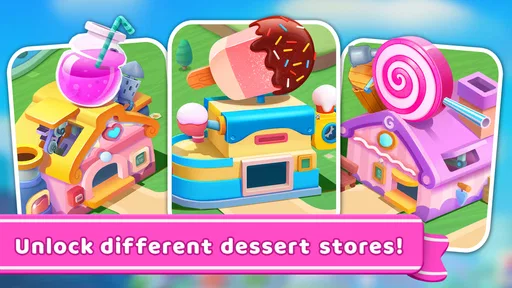
Our Review of Baby Panda's Sweet Shop
 Analysis by Appyee
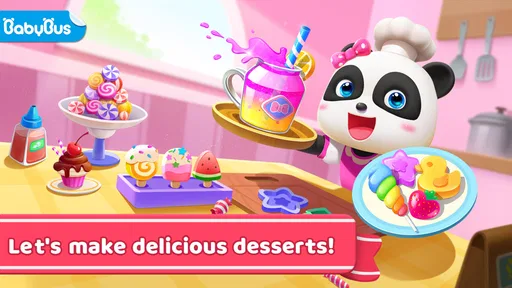
Baby Panda’s Sweet Shop is the kind of educational game I would hand to a young child who enjoys bright, simple food-making activities rather than competition or complicated rules. I spent time with it as a casual play experience, and its main appeal is easy to understand: children can prepare sweet treats such as popsicles, candy, and juice while following playful steps. That makes it more than a digital picture book, but it remains much gentler than a conventional game built around scores, timers, or difficult challenges.
Developed by BabyBus, this free game sits in the educational category and is suitable for Everyone. It has reached over ten million installs and holds a 4.2 average from around 8.8 thousand ratings, which suggests that many families have found it approachable. I would still treat those figures as a starting point rather than a guarantee. A child’s reaction will depend heavily on whether they enjoy repeating short activities and whether an adult is comfortable with the way free children’s games handle optional spending.
What the sweet-shop activities feel like in everyday use
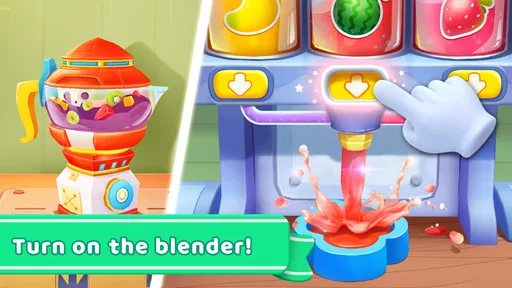
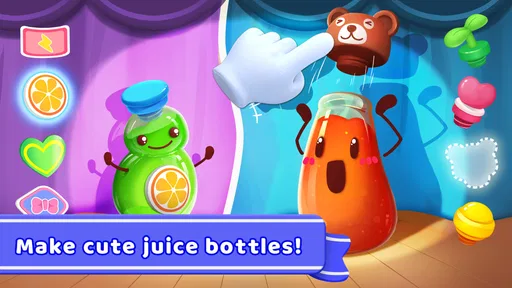
The strongest part of the experience is its clear theme. Instead of asking a child to learn through abstract exercises, the game places learning around familiar treats. Making a popsicle, preparing candy, or mixing juice gives the child an immediate reason to tap, choose, and watch what happens next. In my experience, that kind of context is useful for younger players because the activity explains itself visually.
I can easily imagine using it during a quiet moment at home: a child has finished a snack, wants something to do, and an adult needs an activity that does not require a long explanation. The child can open the sweet shop, choose a treat, and work through the preparation at their own pace. It is also a reasonable option for a short waiting period, although I would not depend on it as a complete substitute for conversation, drawing, or hands-on play.
The game’s educational value is modest but practical. It can encourage recognition of ingredients, sequencing, hand-eye coordination, and the idea that a finished product comes from several steps. Those are useful foundations, even if the experience does not replace a structured learning app. I would describe it as playful practice disguised as a pretend food activity, not as a full lesson in nutrition, cooking, or mathematics.
That distinction matters when choosing it. A parent looking for letter tracing, number exercises, phonics, or a clearly organized curriculum should look elsewhere. Baby Panda’s Sweet Shop is better for children who learn through imitation and simple cause-and-effect. The reward is the finished treat and the process of creating it, not a formal explanation of why each step matters.
Why the short activity format works for younger players
One useful quality is the low barrier to entry. A child does not need to understand a complicated map, remember a long story, or master a set of controls before getting started. The familiar shop setting gives the session a natural beginning, middle, and end: choose something, prepare it, and see the result. That structure helps a child who may lose interest quickly.
I also like that the theme leaves room for pretend play. A child can imagine being the shopkeeper, deciding what to make and presenting the finished item. Adults can extend that moment by asking questions such as which treat was made first, what color it is, or what might happen if the steps were changed. The app does not need to provide every educational answer when it can become a prompt for offline conversation.
There is a trade-off, though. Repetition is part of the appeal, but it can also become the main weakness. Once a child understands the familiar pattern of selecting and preparing a treat, the novelty may fade. Children who want constant discovery, open-ended building, or a larger story may find the shop too narrow. I would introduce it as one activity in a wider collection, not as the only game on a device.
Progress without the pressure of a competitive game
Baby Panda’s Sweet Shop does not appeal to me as a game for winning against other players. Its value comes from completing activities, not from proving that one child is faster or more skilled than another. That makes it a calmer choice for preschool-age play and for children who become frustrated by failure screens or demanding challenges.
The absence of obvious competitive pressure is also helpful for shared play. An adult can sit beside a child and let them make choices rather than taking over to achieve a better result. If the child taps incorrectly, the moment can be treated as part of experimenting instead of as a serious mistake. For a first digital game, that forgiving tone is more important than a sophisticated reward system.
On the other hand, children who need a clear sense of long-term progress may find the experience less satisfying than a puzzle game with stages or a learning app with visible skill tracking. I would not choose it for a child who asks to beat a personal best, unlock increasingly difficult challenges, or compare results with friends. The relaxed design is a benefit only if relaxed play is what the child wants.
Parents should also decide whether the device will be used independently. A young child may understand the activity but still need help with navigation, choosing between options, or returning to a previous screen. I found the best use case to be nearby, lightly supervised play: the child controls the fun, while the adult remains available to guide choices and keep the session balanced.
Spending, access, and the questions I would ask first
The game is free to download, with in-app purchases listed at $2.49 per item. That is the most important spending detail for a parent to know before handing over a phone or tablet. Free access lowers the barrier to trying it, but optional purchases mean I would check the purchase controls on the device before a child plays alone.
I would not describe the purchase model as automatically unfair, because the available information identifies the item price but does not explain the exact content or limits of every purchase. Instead, I would approach it carefully. Let the child try the free experience first, decide whether they actually return to it, and only then consider whether any optional item adds enough value to justify the cost.
This also answers a common concern about progress pressure. I did not find a reason to treat the game like a competitive title where spending should determine who advances fastest. Its central activities are simple food-making tasks, so the more relevant question is whether optional items interrupt the child’s enjoyment or create repeated requests to buy something. If that becomes a problem, the sensible choice is to keep purchases disabled and use the free portion only.
For family devices, I recommend setting a clear rule before play begins. A child can choose which treat to prepare, but an adult handles any purchase decision. That small boundary preserves the pretend-shop role without turning the real device into a shopping exercise. It also gives parents a chance to explain that virtual candy is not the same as buying a real snack.
How fair does it feel beside other children’s games?
Compared with heavily competitive mobile games, this is a much fairer environment for a young child because the focus is not on defeating another player. There is no reason to compare a child’s treat-making session with someone else’s score. That makes it more suitable than a battle-oriented or leaderboard-driven game for families who want a low-stress introduction to mobile play.
Compared with traditional educational apps, the trade-off is different. A tracing or counting app usually offers a more direct connection to a specific academic skill. This game is more attractive when motivation matters: a child who refuses worksheets may happily engage with a pretend shop. The learning is less measurable, but the willingness to participate can be higher.
Compared with physical pretend food sets, the app is more convenient and visually responsive, but it cannot offer the same tactile experience. A real toy shop lets children sort objects, carry them, and invent their own rules without waiting for a screen response. I would use the digital version as a complement, especially when space, time, or materials are limited, rather than claiming it replaces hands-on play.
The spending question also affects that comparison. A physical toy usually has a clearer one-time purchase, while a free app with items priced at $2.49 each requires more attention to device settings and family rules. That does not make the app a poor choice, but it means convenience comes with a small amount of parental management.
What parents should know before choosing it
The game is rated Everyone, which fits its child-friendly theme, but an age label should never be the only basis for supervision. A child’s reading ability, patience, and understanding of purchases matter more than the label alone. I would let a younger child explore beside an adult first, then decide whether independent use is sensible.
The current version is 8.76.04.32, and it requires Android 6.0 or later. That makes checking the child’s device worthwhile before planning a session. If the device is older, the operating-system requirement may decide whether installation is possible. I would also leave enough time for the initial setup rather than introducing it during a rushed journey or appointment.
One point I would keep in mind is that the store information does not give me a complete picture of how every optional item affects play, how much content is available without spending, or how the game handles all family-control situations. I would not fill those gaps with assumptions. Instead, I would test the free portion personally, review the purchase settings, and watch how the child responds to the available activities.
That approach is especially useful because children can interpret a virtual shop differently from adults. A child may see an unavailable item as a normal part of pretend play, while another may become fixated on obtaining it. The right response is not necessarily to avoid the app; it is to observe whether the purchase design remains a minor detail or becomes the center of the session.
Three ways I would get more value from the game
First, I would turn the preparation steps into a conversation rather than letting the screen carry the whole activity. Ask the child to describe the order of actions, predict the finished color, or explain which treat they would serve to a family member. This makes the game a starting point for language and sequencing practice instead of a string of taps.
Second, I would connect the digital shop to a real-world sorting activity. After playing, a child could group safe kitchen items by color or shape, draw a menu, or pretend to take orders with paper and crayons. The app provides the theme, while the offline activity adds physical movement and imagination that a screen cannot provide.
Third, I would use short sessions with a clear stopping point. Finishing one treat is a natural moment to pause, which is more practical than allowing an open-ended screen session to drift on. This also reveals whether the child enjoys the activity itself or only wants to continue because the device is available. For families managing screen time, that simple boundary is more useful than relying on repeated reminders.
A fourth tip is to let the child lead the choice while the adult avoids correcting every tap. The educational benefit comes partly from trying, noticing, and repeating. If an adult completes the activity too quickly, the child may watch rather than participate. I would step in for navigation or purchase questions, but leave the pretend-shop decisions to the player whenever possible.
Who should choose it, and who should skip it?
I would recommend it to families seeking a gentle educational game for a young child who likes pretend cooking, colorful treats, and short interactive tasks. It is particularly suitable when the goal is calm engagement rather than measurable academic progress. It can also work well as a shared activity between an adult and child, because the theme naturally creates questions and conversation.
I would be less enthusiastic for children who already outgrow simple cause-and-effect play. If your child wants complex puzzles, deeper strategy, a substantial story, or a strong sense of achievement across difficult levels, this sweet shop may feel too limited. A dedicated literacy, mathematics, or creativity app would be a better match when a specific developmental target is the priority.
I would also skip it if the family does not want to manage in-app purchases at all. The listed price of $2.49 per item is clear enough to justify checking controls, but the presence of purchases may itself be undesirable in a child’s app collection. In that situation, a paid app with a simpler purchase structure could offer more peace of mind, even if it is less immediately accessible.
My trust verdict after weighing the trade-offs
Baby Panda’s Sweet Shop succeeds because it keeps its idea understandable. Making popsicles, candy, and juice gives children a friendly reason to interact, and the educational benefit comes from sequencing, choice-making, and pretend play rather than from pressure. BabyBus has created a free entry point that should appeal to families who want to test the concept before committing money.
My recommendation is conditional but positive: try it with supervision, establish purchase rules first, and treat it as one small part of a child’s play routine. The 4.2 average and broad install reach make it look familiar to many families, but they do not replace watching your own child use it. The most important test is whether the child remains engaged with making treats rather than becoming focused on unlocking or requesting extras.
For me, the game is at its best as a short, cheerful activity followed by an offline conversation or creative task. It is not a complete learning program, not a replacement for physical pretend play, and not the right choice for children seeking challenge or competition. Within its narrower purpose, though, it offers a friendly introduction to interactive learning. If that is what you need, this is a sensible free option to explore on a compatible device.
Verdict
Strengths of Baby Panda's Sweet Shop
- Simple controls make it easy for young children to play independently.
- Bright animations and cheerful characters keep the experience engaging.
- Different sweets and shop activities offer light variety.
- Short play sessions suit children with limited attention spans.
- Offline play is convenient for travel or areas without internet.
Limitations of Baby Panda's Sweet Shop
- Gameplay may feel repetitive after children complete the available activities.
- Some content may be too easy for older children.
- Frequent prompts can distract from the main shop activities.
- In-app purchases or ads may require parental supervision.
- The app can use considerable storage on some devices.
Other Releases by BabyBus
View All
Little Panda Policeman
Educational4.0

Little Panda's Chinese Recipes
Educational4.4

Little Panda's Restaurant
Educational4.4

Little Panda's Ice Cream Games
Educational4.3
Similar Picks in This Category
View AllLittle Panda Policeman
BabyBus4.0

Monster Trucks Game for Kids 2
Raz Games4.1
Little Panda's Chinese Recipes
BabyBus4.4
Little Panda's Restaurant
BabyBus4.4
Little Panda's Ice Cream Games
BabyBus4.3

Baby Panda Care
BabyBus3.8
Frequently Asked Questions
What is Baby Panda's Sweet Shop?
Baby Panda's Sweet Shop is a colorful children’s cooking and management game in which players help Baby Panda prepare and sell different sweet treats. Depending on the available activities, children can follow simple recipes, mix ingredients, decorate desserts, serve customers, and explore a playful shop environment. Its friendly presentation is designed to make basic cooking steps entertaining for young players.
Is Baby Panda's Sweet Shop suitable for children?
The game is designed primarily for young children and uses bright graphics, simple controls, cheerful characters, and easy-to-follow activities. Most tasks are presented through visual guidance rather than complicated instructions, making the experience accessible to early players. Parents should still check the recommended age rating, privacy information, and any content or advertising settings before allowing a child to play.
Does Baby Panda's Sweet Shop require an internet connection?
Some parts of Baby Panda's Sweet Shop may work without a continuous internet connection, which is useful for playing while traveling or when Wi-Fi is unavailable. However, internet access may be needed for downloading the game, receiving updates, displaying advertisements, restoring purchases, or accessing certain online features. Availability can vary by device, operating system, and version.
Are there advertisements or in-app purchases in Baby Panda's Sweet Shop?
Parents should review the store listing and the game’s settings because children’s apps can include advertisements, optional purchases, or links to other products from the developer. The core activities may be playable without spending money, but some content could be restricted or supported by ads. To avoid accidental purchases, parental controls and purchase authentication should be enabled on the device.
What can children learn while playing Baby Panda's Sweet Shop?
Baby Panda's Sweet Shop mainly offers entertainment, but its cooking activities can also encourage basic sequencing, observation, creativity, and hand-eye coordination. Children may practice following steps, recognizing ingredients, decorating desserts, and completing simple customer-service tasks. It should not be treated as a formal educational tool, yet the relaxed gameplay can support imaginative play and introduce familiar kitchen concepts in an approachable way.
Play our best games!


